
From Silicon to Software: How Computers Think, Work, and Shape Daily Life
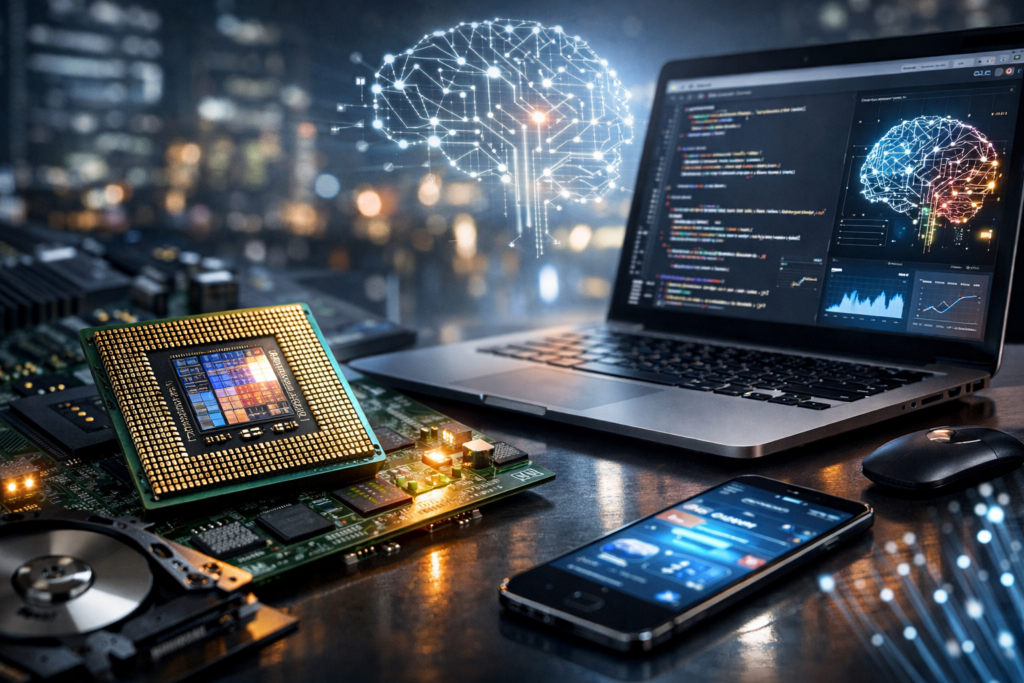
What a Computer Really Is
A computer is an information-processing system that takes input, follows a set of instructions, and produces output. While modern devices look vastly different—tower PCs, laptops, smartphones, servers, and tiny embedded controllers—they share the same core idea: data is represented digitally (usually in binary) and manipulated by circuits under the control of software. The power of computers comes from their general-purpose nature: the same hardware can run countless programs, enabling tasks as simple as calculating a budget or as complex as simulating climate models.
Core Building Blocks of a Computer
Every computer combines hardware (physical components) and software (instructions). Hardware provides the ability to store, move, and transform data; software tells the hardware what operations to perform and in what order. The most common way to explain a computer’s anatomy is to break it down into processing, memory, storage, input/output, and interconnections.
CPU: The Central Processing Unit
The CPU is often described as the “brain” of the computer. It executes instructions by performing arithmetic and logical operations, controlling the flow of data, and coordinating other components. Modern CPUs contain multiple cores, letting them work on several threads of execution at once. Key ideas include:
- Clock speed: how many cycles per second the CPU can perform, affecting throughput.
- Cores and threads: parallel execution for multitasking and performance.
- Caches: small, fast memory layers (L1/L2/L3) that reduce time spent waiting for data.
Memory (RAM): The Workspace
Random Access Memory (RAM) holds data and program instructions currently in use. It is fast but temporary—its contents vanish when power is removed. More RAM generally supports smoother multitasking and handling large datasets (like photo libraries, scientific data, or virtual machines) because the system can keep more “active” information close to the CPU.
Storage: Long-Term Data
Storage retains information even when the computer is off. Traditional hard disk drives (HDDs) store data magnetically and provide large capacity at low cost. Solid-state drives (SSDs) use flash memory, offering much faster access and improved durability due to no moving parts. Storage influences boot time, application loading, and how quickly large files can be read or written.
GPU and Specialized Processors
Graphics Processing Units (GPUs) accelerate visual computing and parallel workloads. They excel at running the same operation across many pieces of data simultaneously, which is valuable for 3D rendering, video processing, and machine learning. Beyond GPUs, modern systems may include specialized chips such as:
- NPUs/TPUs: optimized for neural network inference and AI tasks.
- DSPs: efficient for signal processing in audio, communication, and sensors.
- Microcontrollers: low-power “computers on a chip” embedded in appliances and vehicles.
Motherboard, Buses, and I/O
The motherboard connects components and provides pathways for communication. Data travels through buses and high-speed links, such as PCI Express for expansion cards and storage. Input/output (I/O) devices—keyboard, mouse, touchscreen, microphone, camera, display, and network interfaces—allow computers to interact with users and the world. Networking, particularly Ethernet and Wi‑Fi, extends a computer’s capabilities by connecting it to cloud services and other devices.
How Computers Execute Programs
At the lowest level, CPUs run machine instructions: simple operations like moving data, adding numbers, and comparing values. Software is typically written in high-level languages (such as Python, Java, or C#) and translated into machine code by compilers or executed by interpreters and runtime environments. Operating systems (Windows, macOS, Linux, Android, iOS) manage hardware resources, schedule tasks, and provide common services—file management, security, device drivers, and user interfaces.
A useful mental model is the “fetch-decode-execute” cycle: the CPU fetches an instruction from memory, decodes what it means, then executes it. This happens billions of times per second. Performance depends not only on raw speed but also on how efficiently data moves between storage, RAM, and caches—because waiting for data can slow computation more than the math itself.
Types of Computers You Encounter
Computers are best understood as a spectrum rather than a single category. The form factor and capabilities vary based on the job they must do.
- Personal computers: desktops and laptops designed for general-purpose tasks, creativity, gaming, and productivity.
- Mobile devices: smartphones and tablets that blend computing with sensors, cameras, and always-on connectivity.
- Workstations: high-end PCs optimized for engineering, 3D design, video editing, and scientific workloads.
- Servers: systems built to reliably provide services—websites, databases, authentication, storage—often running continuously.
- Supercomputers: massively parallel machines for research, weather forecasting, physics simulations, and national-scale computation.
- Embedded systems: dedicated computers inside cars, medical devices, routers, and industrial equipment.
Computers in Everyday Life
Modern life depends on computers not only as visible devices but also as hidden infrastructure. Payment systems validate transactions in milliseconds. Navigation apps blend satellite signals, sensor data, and mapping algorithms. Streaming platforms use data centers to store content and algorithms to recommend what to watch. Even household appliances—from thermostats to washing machines—often contain microcontrollers that monitor inputs and adjust behavior efficiently.
This ubiquity has reshaped how we work and communicate. Remote collaboration relies on video compression, network protocols, and encryption. Digital creativity tools let individuals produce music, films, and art with capabilities once reserved for studios. At the same time, the spread of computing raises questions about privacy, digital literacy, and equitable access.
Security and Responsible Use
Because computers store valuable data and connect to networks, they must be used responsibly. Good security practices protect both individuals and organizations. Key habits include:
- Updating software: patches fix vulnerabilities that attackers may exploit.
- Strong authentication: unique passwords and multi-factor authentication reduce account takeover risk.
- Backups: protect against hardware failure, accidental deletion, and ransomware.
- Safe browsing and permissions: avoid suspicious downloads and limit what apps can access.
Security is not only technical; it is also behavioral. Many incidents begin with phishing or social engineering—tricking people into revealing information. Building awareness is as important as installing protective software.
Where Computers Are Heading
Computing continues to evolve in several directions. Energy efficiency is becoming as important as raw speed, especially for battery-powered devices and large data centers. AI acceleration is moving onto consumer hardware, enabling local speech recognition, image processing, and assistive tools without always sending data to the cloud. Edge computing places processing closer to where data is generated—useful for factories, vehicles, and smart cities where latency matters.
Meanwhile, research into new architectures—such as advanced chip packaging, optical interconnects, and exploratory quantum computing—aims to overcome physical limits and unlock new kinds of problem-solving. Despite changes in form and scale, the essential promise remains: computers transform data into insight and action, extending human capability in science, business, and everyday life.
